My 8 Must Have FREE Travel Apps
Most Recently Updated November 2, 2025
Originally Published December 18, 2024
These are the apps that help me keep everything in order and make my journeys smoother and more enjoyable. I couldn’t imagine traveling from the planning to being on the trip to reminiscing about my holidays without these apps…there’s technically (way) more than 8 apps since I have so many Airline/Hotel/Cruise/Hostelworld/Travel Companies apps but I lumped those into one category.
What I really love and appreciate about these apps is that the free versions are pretty great with so many useful features and that the upgraded versions are relatively inexpensive especially in relation to the extras provided. And in this day and age of crazy travel, I will take any and all help I can get!
TripIt
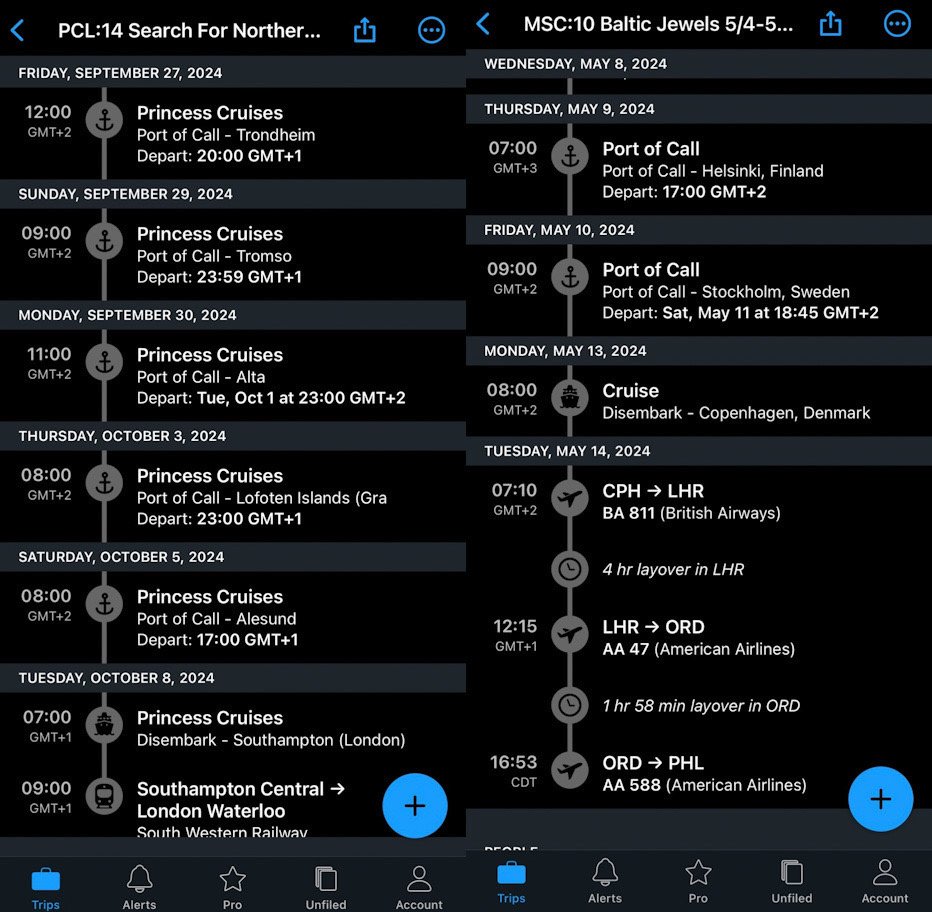
Purpose: Travel planning and itinerary organization
Why I Use It: Organizes all travel plans (flights, hotels, car rentals, cruises, activities, transportation, etc) into a single itinerary that is easy to read and most importantly shows local dates/times. This app has literally saved my trips multiple times from booking accommodations for the correct date to sending reminders for flight check-ins to having me get to my cruise and not miss embarkment (as opposed to relying on your calendar that is synced to your local time zone!)

Best Features:
- Convenience: can add PDFs or photos to items on your itinerary to keep everything related to your trip in one place
- Ease: ability to sync with your email (auto add travel confirmations) and with calendar
- Security: share itineraries with friends or family
- End of year travel summary (you know how I love data and stats!) – pictured above
- PRO Version: notifications about better seats/airfare dropping + point tracker
Flighty*
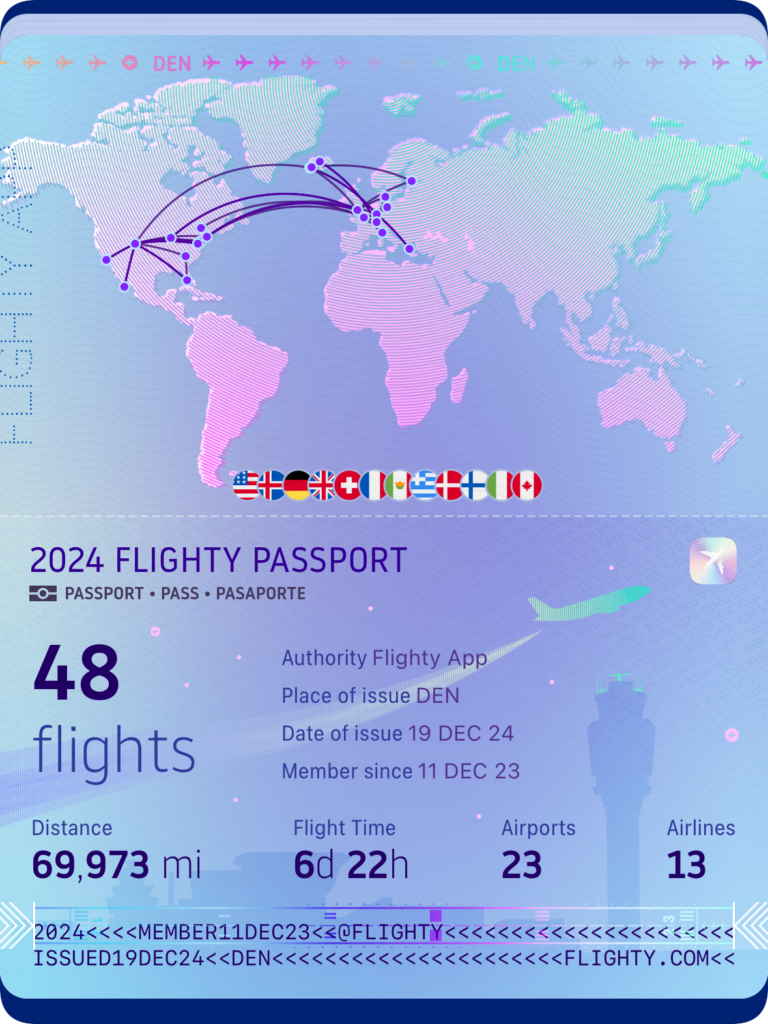
Purpose: Flight tracking and real-time updates
Why I Use It: I often get more info from my Flighty App than directly from the airlines (or my boarding pass) such as terminal or gate info. Plus Flighty has correctly predicted delays before the airlines announced them
Best Features:
- *IMPORTANT TO KNOW: currently only available on iPhones
- Offers delay predictions, gate changes, and notifications to keep you ahead of travel disruptions.
- Once flights are completed, info is compiled into a flight log that is broken down by year and all-time (you know how I love data and stats!) – pictured above
- PRO Version: integration with TripIt + live tracking of flights with push notifications.
Airline/Hotel/Cruise/Hostelworld/Travel Companies’ App
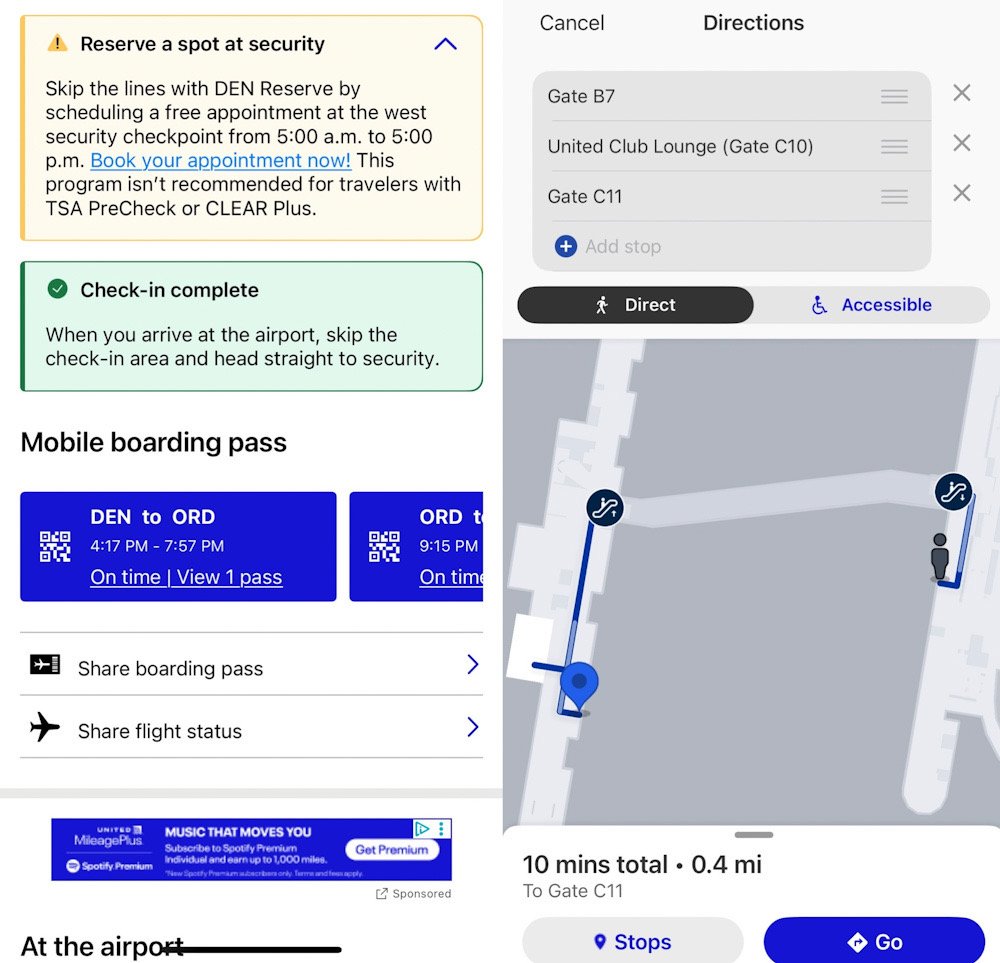
Purpose: Access to confirmations, loyalty program and other info for individual travel companies
Why I Use It: Convenience, speed, security and tracking made easier since I have so many accounts/bookings to keep track of
Best Features:
- Apps allow quick check-ins, often with fewer steps than websites (BEAUTIFUL TIP: I always check to see if I can book through a shopping portal for more miles/points than directly with the app)
- Track your reservation details and itinerary easily – which unfortunately should be something that you do frequently as flights/planes/seat assignments are often changed!
- Get notifications about flight delays, gate changes, or special offers.
- BEAUTIFUL TIP: The apps keep getting updated with some great features as seen above with United and the ability to get step by step navigation between gates (and the ability to add stops ie airport lounges!)
- Loyalty programs (like frequent flyer miles or hotel rewards) are often easier to manage and I can track rewards points, elite status, or upcoming benefits directly within the app.
- Most apps allow offline access to essential details, such as booking confirmations, saving you from needing internet connectivity during critical times.
- Many apps provide in-app chat or customer service for quick issue resolution without needing to call.
Maps.me or Google Maps
Purpose: maps.me/Google Maps: Navigation and mapping
Why I Use It: Having my routes mapped out, helps me feel and look more confident navigating through new or unfamiliar places.
Best Features:
- Download maps of cities, countries, or regions to access offline
- Includes walking, driving, and biking navigation* with highlights points of interest and hiking trails.
- *if using public transport: I would highly suggest moovit or local transportation app: better info than either to navigate cities’ subways, metros, buses and trains
Xe
Purpose: Currency converter
Why I Use It: Quickly convert currencies at accurate exchange rates. It helps me to understand costs in local currencies and keep my travel budget on track
Best Features:
- Live currency exchange rates for over 180 currencies.
- Offline access to rates when traveling without internet.
- Ability to track rate trends over time (again I really like data)
Purpose: WhatsApp allows you to send messages, make calls, and share files with people all around the world
Why I Use It: An easy and free way to connect and/or keep in contact with businesses, friends and family
Best Features:
- Works on iOS, Android, and desktops, enabling seamless communication across devices and places
- Ensures security as messages and calls have end-to-end encryption
- Create and manage groups for family, friends, work or I recently experienced for a huge group of solo travelers on a Virgin Voyages cruise
- Share updates with your contacts, like stories on social media
Smart Traveler*
Purpose: A travel advisory app from the U.S. Department of State
Why I Use It: Provides country-specific travel advisories and updates. But I mainly have used it to register during times of unrest and/or upheaval when traveling abroad and it was very helpful in keeping me informed about local conditions and emergencies.
Best Features:
- *IMPORTANT TO KNOW: this is specifically for US Citizens esp STEP but many other countries have similar apps
- Registration with the Smart Traveler Enrollment Program (STEP).
- Emergency contact information for U.S. embassies and consulates.
Camera*
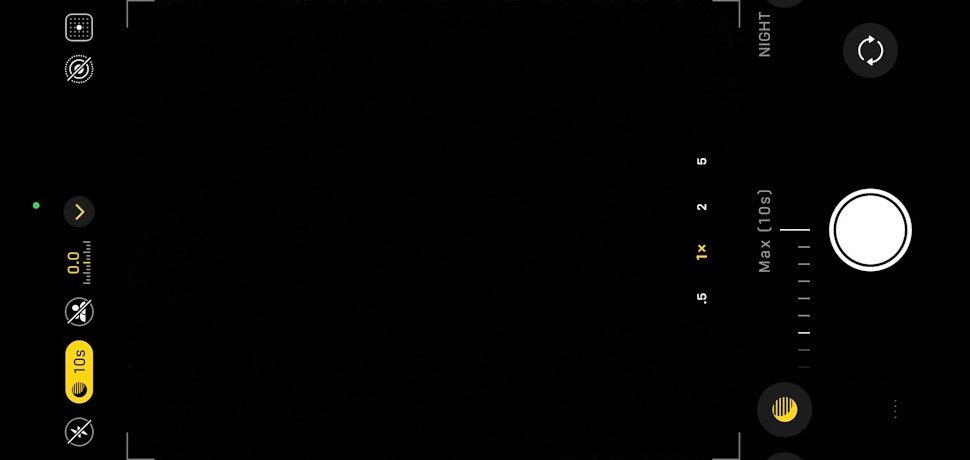
Purpose: Take photos and videos
Why I Use It: The best camera to have is the one that you have accessible/available AND know how to use. I have a DSLR that I love but since I travel carry-on only, I sometimes opt to not bring it along as I know that I will typically have my phone on me.
Best Features:
- *IMPORTANT TO KNOW: get to know the features and functions of the camera.
- Many smart phones especially the latest models allow you to take pretty good night photos – again learning how to use your camera is key. For example, the night mode on the iPhone camera is that crescent moon. The app gives me the ability to lengthen the time before a photo is take and here I am adjusting it to the longest (handheld) timeframe.
- If you are going to be doing any night photos, invest in a sturdy tripod since any movements will distort your photos.


Learning to use the night mode helped me capture the Northern lights on my phone!
Bonus: Some Useful/Fun Apps
Been
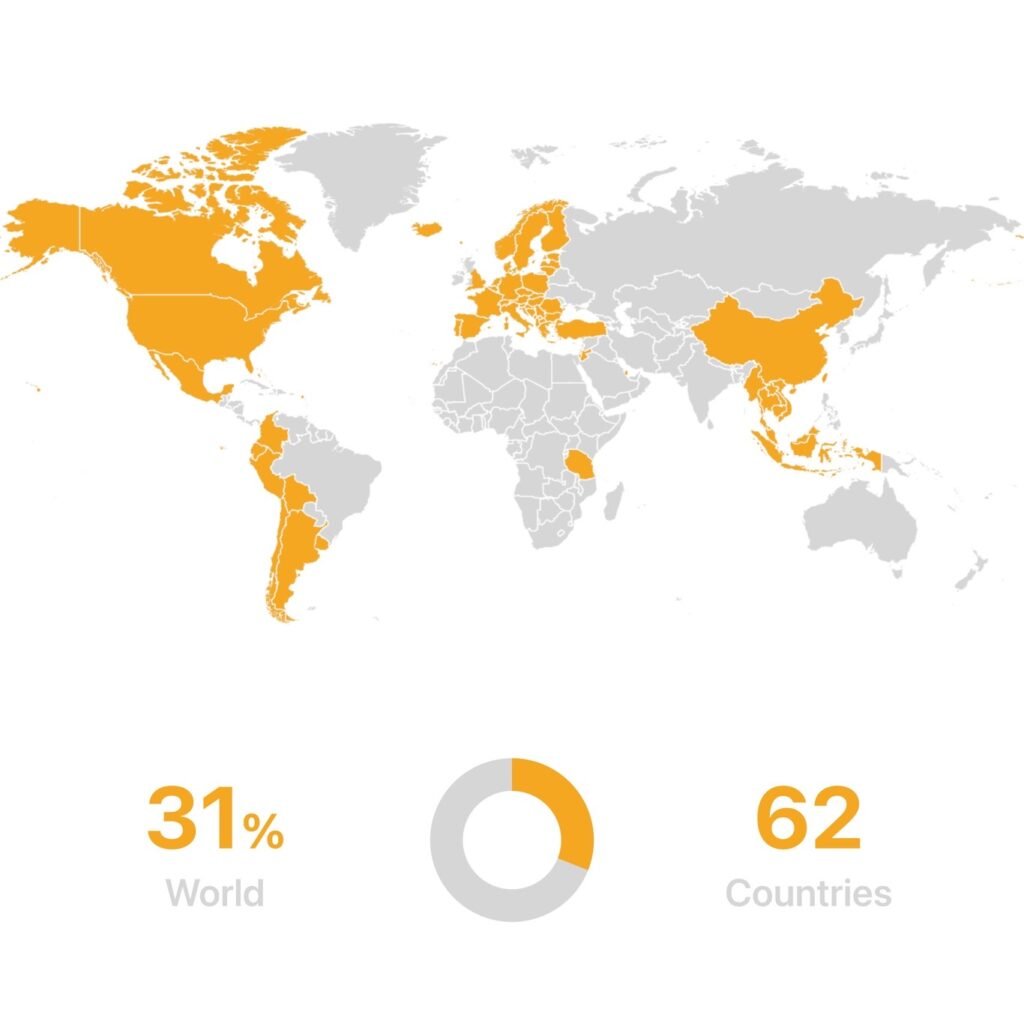
Purpose: A fun way to track where you’ve traveled around the world.
Why I Use It: How I keep track of where I’ve traveled to
Best Features:
- Create a visual map of the countries or U.S. states you’ve visited.
- Share your travel milestones with friends.
- Set travel goals for future trips.
- PRO Features: track regions/cities/airports + more global filters
MPC: Mobile Passport Control*
Purpose: Expedites U.S. customs and immigration processing
Why I Use It: I have Global Entry so I will hedge my bets by filling out the declarations forms via the app in case this line is shorter (but only submit if/when I commit to MPC line).
Best Features:
- *IMPORTANT TO KNOW: U.S. citizens passport holders, Canadian visitors passport holders, Lawful Permanent Residents and Visa Waiver Program passport holders are eligible to use this
- No need for pre-approval (unlike Global Entry).
- Can be a HUGE time saver as you can bypass the standard lines at customs by submitting your passport and declaration forms through this app and using the MPC designated lanes
Here’s more on MPC and another free resource: CLEAR Reserve to help streamline your airport experience!
About Author
Rosemary is a travel hacker, points nerd and female solo traveler who’s explored 70+ countries without a trust fund, sugar daddy, or sponsored content. Every mile, upgrade, and trip is completely self-funded using a mix of points, miles, and cash or earned with elite status. And she shows you the receipts along with a mildly concerning amount of spreadsheets. Through firsthand experience and plenty of trial and error, she teaches everyday travelers the art of travel hacking and how they too can travel for cheaper, better, and more often. While Rosemary doesn’t take herself too seriously, she does take award travel (and searching for the best ice cream) seriously – because seeing the world shouldn’t be reserved for the rich, the retired, or content creators with brand deals.



![[EXPIRED] Limited Time: Chase’s BEST Offer on 2 of the Business Ink Cards is BACK! ($900 or 90,000 Points!)](https://beautifullifebeautifulworld.com/wp-content/uploads/2025/09/Chase-Biz-Ink-2025-90K-offer-768x461.jpeg)
Very interesting info!Perfect just what I was searching for!